Who We Are, Briefly
We are a tailoring house in Hoi An, Vietnam, that has been cutting suits for twenty-five years. Roughly five thousand garments for clients across fifty countries -- weddings in Sydney and Houston, jobs on the trading floors of Manhattan, milestone birthdays on the Italian coast. Most orders are placed remotely. The customer never sets foot in the shop.
The problem we have spent two and a half decades solving in private is the gap between what a customer can describe and what a tailor can build. Tailors think in fabric weight, lapel width in centimetres, button stance, vent style, shoulder construction. Customers think in references -- a movie still, a Pinterest folder, a feeling. The translation between the two is lossy at best, a coin-flip at worst.
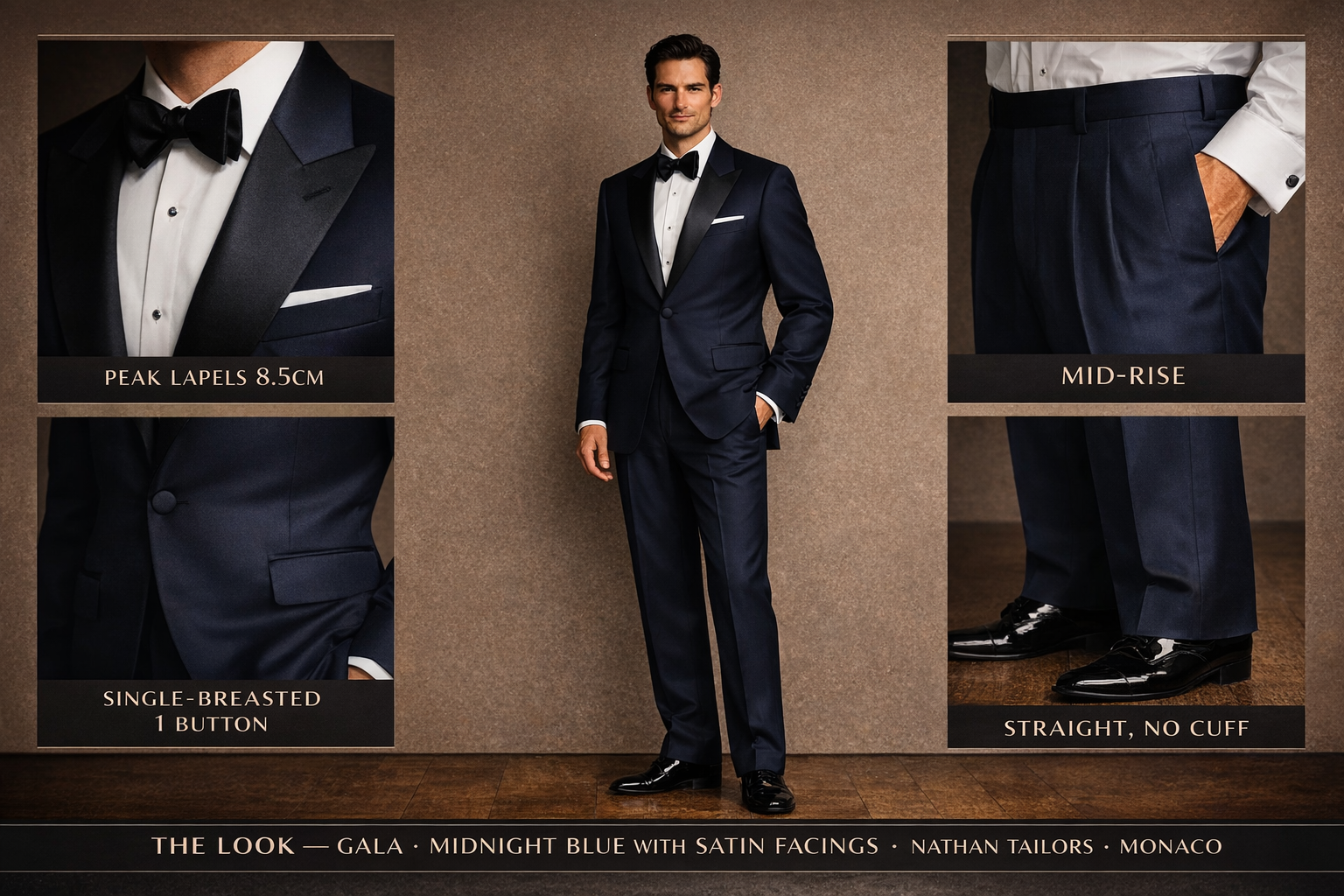
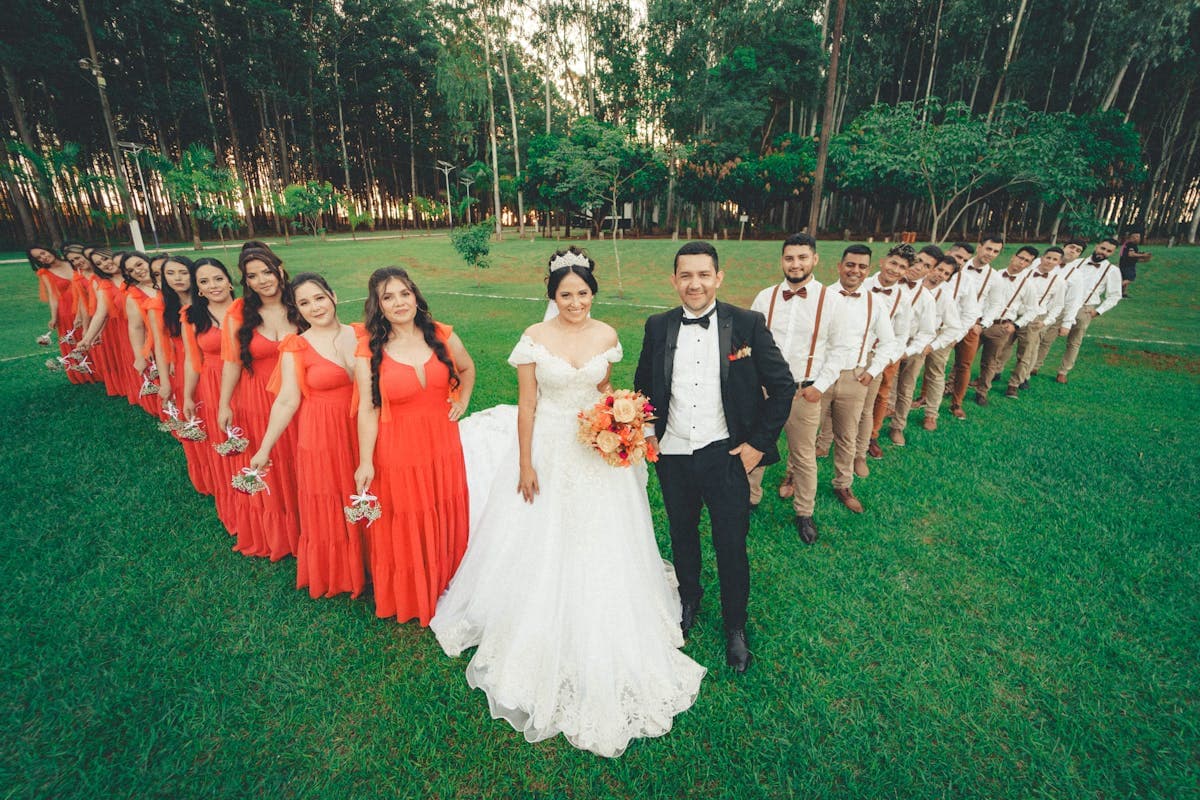
This essay is about closing that gap with software, specifically with OpenAI's image generation API. We have shipped two consumer tools in the last quarter -- The Atelier, which renders a man in any of ten cinematic suit archetypes, and The Wedding Mood Board, which renders a full wedding party in coordinated attire from a single brief. Both are live, both serve real customers.
The Problem
A wedding, from the apparel side, is a coordination problem. A bride, a groom, four-to-eight bridesmaids and groomsmen, parents, sometimes flower girls -- every one of them in an outfit that has to hang together with everyone else's. The traditional process: the bride builds a Pinterest board that grows to forty-seven tabs and three hundred pins, sends it to her bridesmaids, who interpret it differently and go to David's Bridal or Azazie or BHLDN and order something that does not match. The groom finds a different reference. The groomsmen rent something else. The photographer arrives on the day to a frame that is, sartorially, three different weddings.
What we wanted was a single rendered frame showing the entire wedding party in coordinated attire, before any of them ordered anything. A visual brief, not a folder of pins. That is what our wedding attire mood board is, and it is the harder of the two tools we built. The simpler one, our suit generator, came first -- one man, one suit, ten archetypes, your fabric -- as proof-of-concept before we tried to render entire wedding parties.
Why OpenAI's Image API
We tried four image generation services before settling on OpenAI's API. We needed: photographic realism (illustrative styles read as clip-art, a tonal mismatch with how people feel about their wedding); reliable typography for editorial layouts; under 90 seconds per generation; and the deal-breaker for two of the four candidates, the ability to render textiles with some fidelity to actual cloth behaviour.
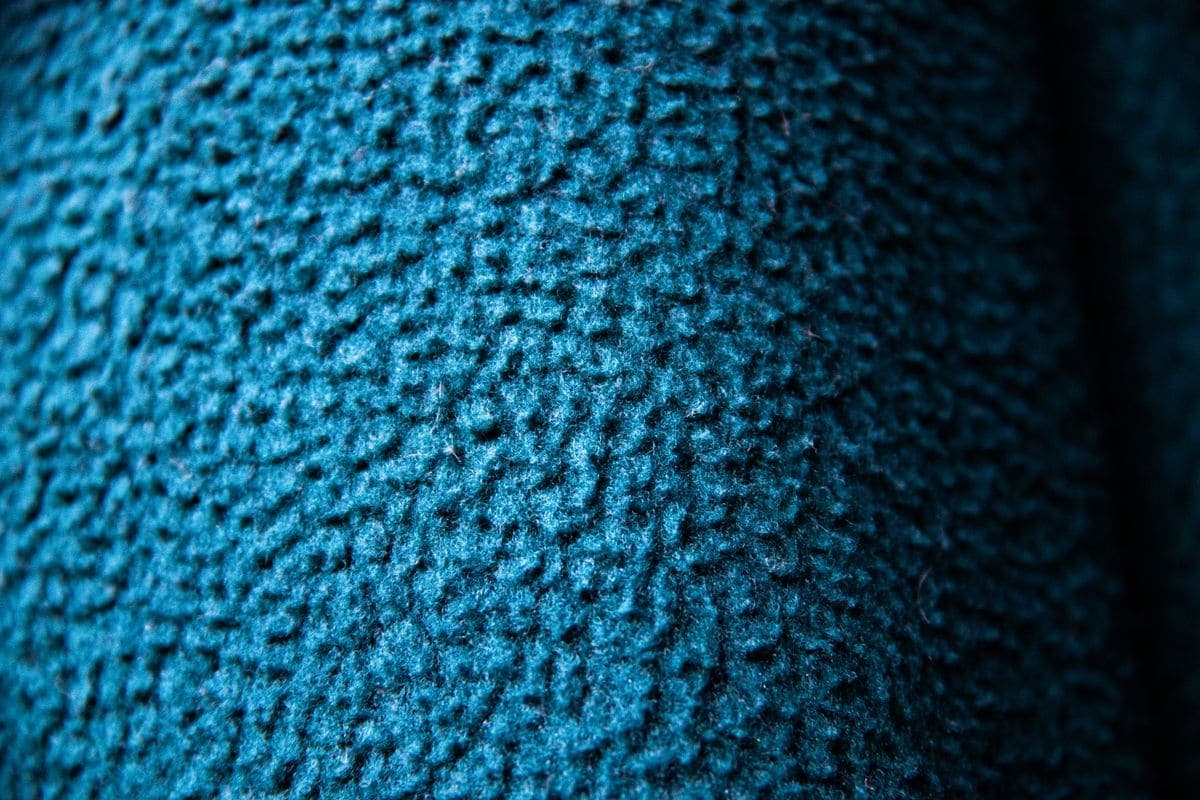
OpenAI's API was the only one that, when prompted with "a navy mohair-wool blend at approximately 9oz, woven in a tight twill," produced something that looked like navy mohair-wool at 9oz rather than a generic suit-shaped object. Whether the model "knows" what mohair is in any meaningful sense is a separate question; the output behaved correctly under the language we were trained to use, which was good enough.
We built both tools as Next.js applications on Vercel, with image generation calls going to OpenAI's API and rendered images stored at slug-based URLs so every generation has a permanent shareable link.
Lessons in Prompting Fabric
This is the meaty part. We made a great many mistakes in the first two months. The lessons below are the things we wish someone had told us.
Lesson 1: The model defaults to "wedding generic"
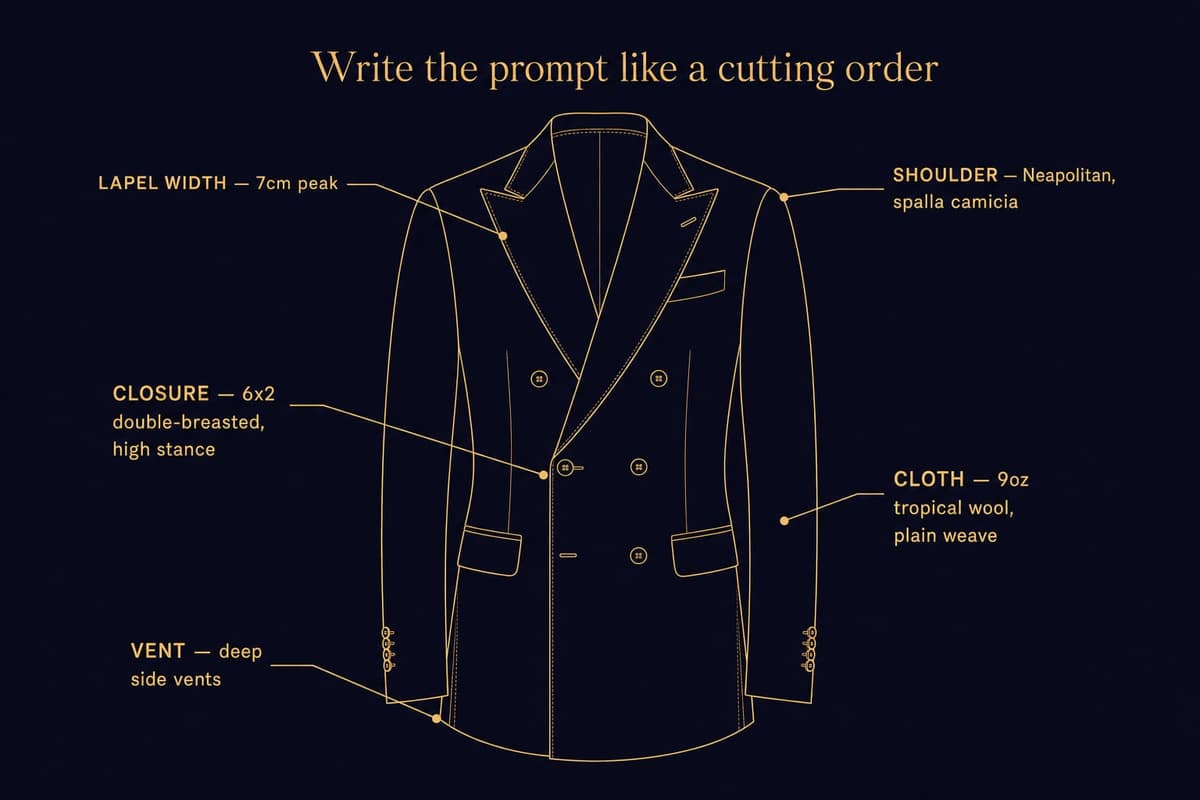
Ask for a "wedding suit" and you get a wedding suit -- but not the one you wanted. You get a generic, slightly-soft, mid-shouldered, two-button single-breasted thing in a vague navy that could have come from any of forty mid-tier rental houses. The model has a strong prior for what a "wedding suit" looks like, and that prior is the average of every wedding suit on the open internet, which is to say, the average of fast-fashion polyester rentals.
The fix is specificity in tailoring vocabulary. Lapel width in centimetres ("a 7cm peak lapel"). Closure style ("6x2 double-breasted with a high stance"). Vent style ("deep side vents"). Fabric weight and weave ("9oz tropical wool in plain weave"). Shoulder construction ("a Neapolitan shoulder with a spalla camicia pleat"). None of these phrases are required -- the model will not refuse a vague prompt -- but each one shifts the output from generic to specific. We learned to write the prompt the way we would write a cutting order to our own workshop. The model rewards being treated like a colleague who needs to be told.
Lesson 2: Faces facing backward kill the image
This was the surprise of the first month. A non-trivial fraction of early wedding-party renders came back with figures facing away from the camera, or three-quarter profiles where the face was not visible. For a mood board this is fatal -- the bride has to recognize herself, the groom has to see himself. A back-of-head is not a person.
The fix is unglamorous: you say it. Explicitly. "All subjects face the camera. All faces are visible. No subjects facing away." This brought the back-of-head rate from one-in-four to one-in-twenty. We then added a post-render check that re-rolls the generation if a face is undetected in any expected subject position. The user does not see the failure; they see the next image, which works.
Lesson 3: Celebrity-likeness moderation is aggressive, and rightly so
Almost every customer who described a reference described it by celebrity name. "Like the guy in that James Bond movie." "Like that scene with the actor in the navy suit." We could not pass any of these names to the model -- the moderation layer would refuse, sometimes silently, and the result would fail or come back too generic to recognize.
The workaround is an archetype dictionary. The customer selects a feeling -- "1987 Wall Street power-suit," "1960s English spy black-tie," "Italian summer wedding on the Amalfi Coast" -- and we translate that into a tailoring spec sheet on the backend. The customer never sees the spec; the model does, and returns a suit that captures the archetype without ever being told a name. Archetypes are public domain. Faces are not.
Lesson 4: Wedding-party shots need explicit grouping
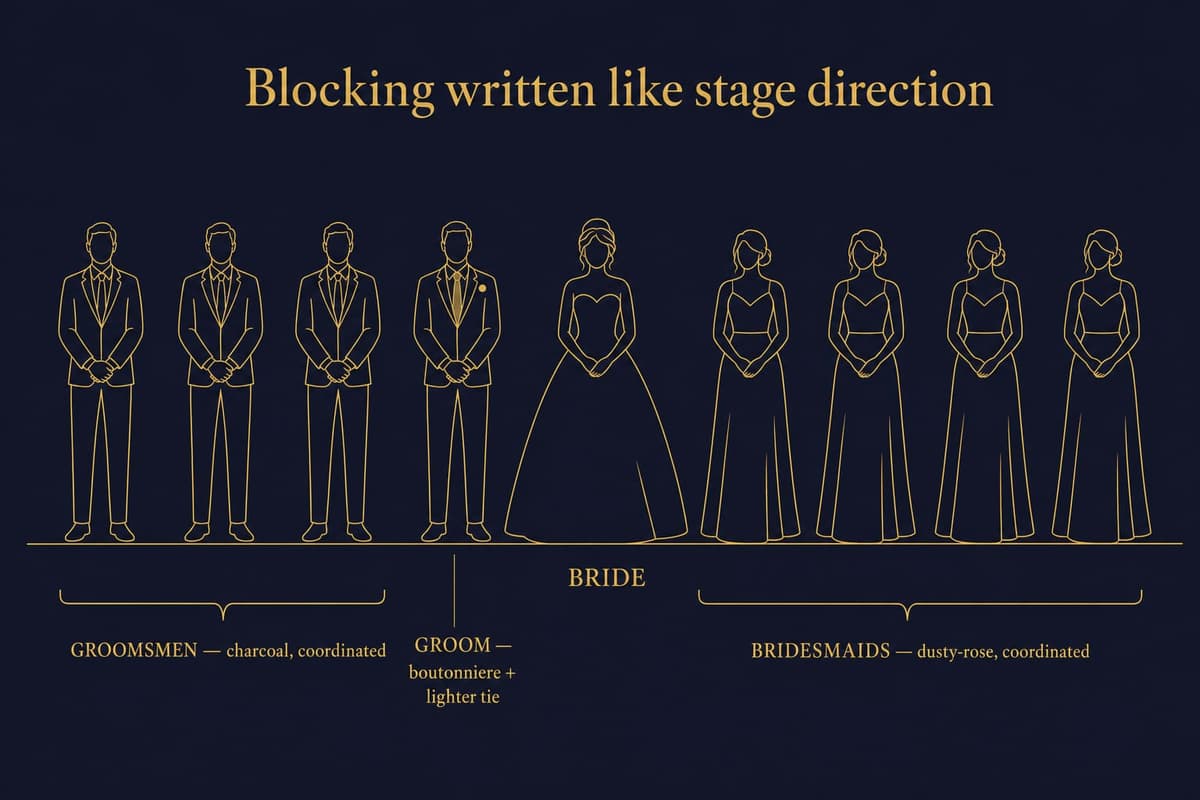
Ask for "a wedding party of eight, four bridesmaids and four groomsmen, lined up for a portrait" and you frequently get an interleaved row in random order, sometimes with a bridesmaid in the groomsman's outfit. The model is doing its best, but the spatial relationships in the prompt are not strong enough to overcome its tendency to alternate.
The fix is explicit blocking, written like stage direction. "The bride stands centre. To her right, four bridesmaids in coordinated dusty-rose dresses. To her left, four groomsmen in coordinated charcoal suits. The groom stands directly to the bride's left, distinguished by a boutonniere and a different tie." This gets the composition right nine times in ten. Without it, the success rate is closer to one in three.
Lesson 5: Tonal hierarchy has to be enforced
The groom is not the groomsmen. The model does not know, from a generic prompt, who is the groom -- you have to tell it. The groom is differentiated by three specific things, each of which the model renders reliably: a boutonniere of a different bloom (a white peony where the groomsmen wear white roses); a tie or pocket square one shade lighter or richer; a waistcoat where they do not, or vice versa. We write all three into the prompt. Two out of three is sometimes enough; one is not.
Lesson 6: Layout grids work better than you would think
The Wedding Mood Board is a three-row scrapbook layout -- a top row of the bride and groom together, a middle row of the bridal party and groomsmen as side-by-side group portraits, a bottom row of detail shots (boutonniere, bouquet, folded pocket square, shoes). We describe this in the prompt itself, the way a magazine art director would brief a photographer.
The model honours layout instructions. Not perfectly -- you sometimes get a two-row layout when you asked for three -- but the success rate is far higher than expected. Editorial typography is similar: given specific instructions ("the words 'The Wedding of Anna and Marcus' in a serif typeface across the top, in soft cream"), the model produces readable text more often than not. There is no hand-coded layout engine on our side. The layout is in the prompt.
What Worked Technically
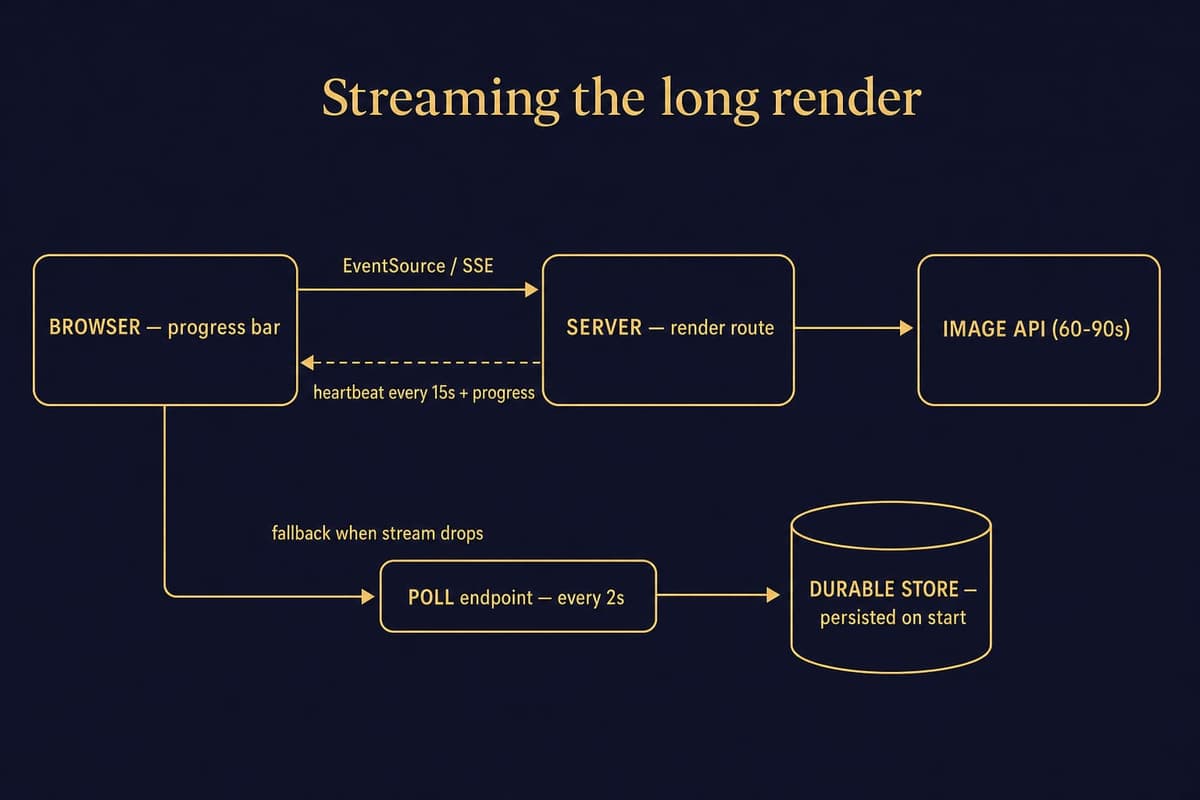
The product side is more conventional. A few things were worth getting right.
SSE streaming for the long render. Generations take 60 to 90 seconds. A normal HTTP request will time out or feel broken. We use server-sent events to stream progress to the browser, with heartbeat pings every 15 seconds to keep the connection alive across every load-balancer layer between customer and server. The user sees a progress bar that actually moves -- half the perceived-quality battle.
Polling fallback when the stream drops. SSE is reliable until it isn't. Some corporate networks strip event-stream headers; some mobile carriers terminate idle connections. The fallback is a polling endpoint hit every two seconds with the generation ID. The backend persists every generation to a durable store the moment it starts, so the polling endpoint returns the latest status regardless of whether the original stream is alive.
Slug-based routing. Every generation gets its own permanent URL -- something like /atelier/render/abc123 or /wedding-mood-board/render/xyz789. The customer can share with their fiancée, their groomsmen, their photographer. They can come back two weeks later. None of this is innovative; all of it is required for the product to feel real.
The code that handles a single generation looks roughly like this, simplified:
// Client side
const stream = new EventSource(`/api/render?spec=${specId}`);
stream.onmessage = (e) => {
  const event = JSON.parse(e.data);
  if (event.type === 'progress') updateBar(event.percent);
  if (event.type === 'complete') redirectTo(event.url);
};

// Server side
export async function GET(req) {
  const stream = new ReadableStream({
    async start(controller) {
      const heartbeat = setInterval(() => {
        controller.enqueue(`: heartbeat\n\n`);
      }, 15_000);

      const result = await openai.images.generate({
        prompt: buildPrompt(spec),
        // ... other params
      });

      await persistRender(result, spec);
      controller.enqueue(formatSSE({ type: 'complete', url: result.url }));
      clearInterval(heartbeat);
      controller.close();
    },
  });
  return new Response(stream, { headers: SSE_HEADERS });
}
None of this is novel. All of it had to be right.
What Surprised Us
Three things, in the good direction.
First, the model is good at typography in editorial contexts when given specific instructions. Two years ago, image models could not render legible text at all. Today's model produces wedding-invitation typography that is, eight times in ten, indistinguishable from professional design.
Second, lapel widths in centimetres are honoured. We generated the same suit at 4cm, 7cm, and 11cm -- narrow notch, classic notch, broad peak -- and the model produced visibly different lapels in each case, in the right ballpark, with no further tuning. That a language-trained image model has a usable internal model of "lapel width in centimetres" was not something we expected.
Third, the model loves rendering fabric texture when you describe weight and weave. "9oz tropical wool" drapes; "13oz Donegal tweed" comes back with visible nap and flecks; "8oz Irish linen" has the rumple of real linen. Not photorealistic at the fibre level, but at the silhouette and shadow level convincing enough that customers reliably identify fabric weight from the render. That was the moment we knew we had a real product.
What We Would Improve
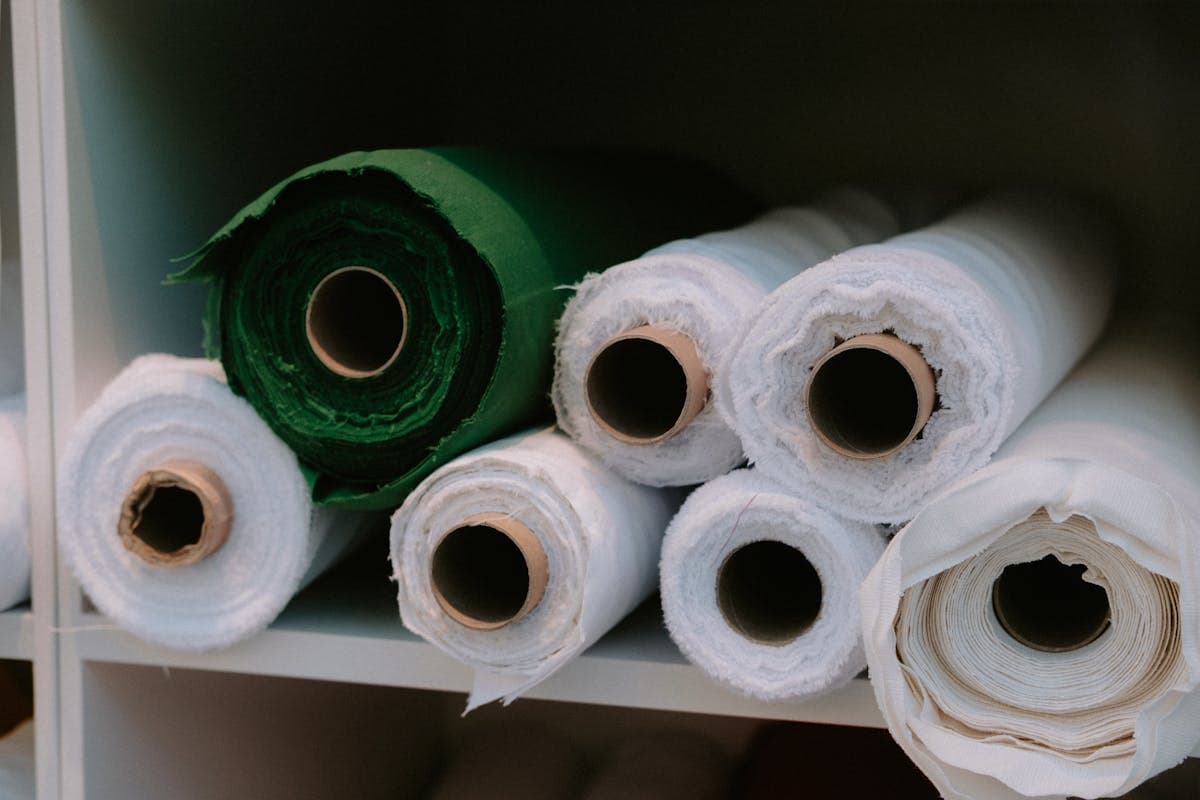
The honest answer is image-to-image with reference fabric swatches as input. Today the workflow is one-shot text -- describe, render, accept or re-roll. What we want is for a customer to upload a photo of a swatch from one of our two hundred bolts in Hoi An and for the model to render the suit in that exact tweed, not a hallucinated approximation. That closes the last loop between digital render and physical garment.
We are also working on multi-frame consistency. Today, two renders of "the same wedding party" will not produce the same wedding party -- bridesmaids will have slightly different hair, slightly different builds. Locking the cast across frames, so a customer can see their party at the ceremony, the first dance, and the late-night portrait without the people changing, is the next problem.
The Bigger Picture
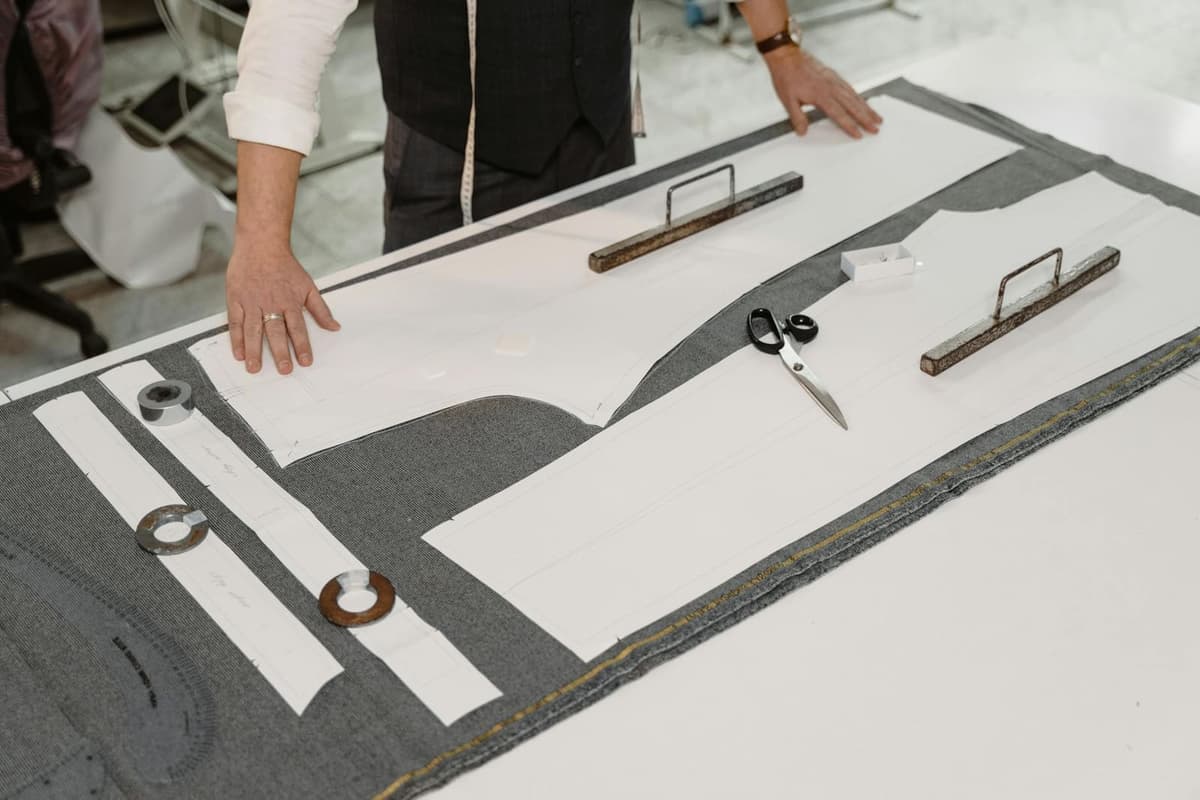
We are not replacing tailors with this. The suits are still cut and built by hand in our workshop. Every garment that ships from Hoi An has been measured, patterned, sewn, and pressed by a human being. What the AI tools change is the front of the funnel: they let a couple come to us with a brief instead of a Pinterest folder -- a single rendered frame that says, with no ambiguity, "this is the wedding we are trying to make." That turns a forty-five-minute consultation into a ten-minute confirmation. It removes the lossy translation step. It is, more than anything else we have built in twenty-five years, the thing that makes remote bespoke tailoring feel possible.
The interesting thing about consumer AI in 2026 is that the hard part is no longer the model. The model is capable, and improving quarterly. The hard part is the wrapping -- the prompt engineering, the moderation handling, the streaming, the fallback, the slug routing, the frontend that translates plain-language briefs into structured prompts. The model is the bottle of wine; the wrapping is the dinner around it.
If you are building consumer AI tools and you have hit any of the same walls -- the moderation cliff, the streaming-and-heartbeat dance, the gap between generic and specific prompts -- we would happily compare notes. You can find us at the email on the site. Both tools are live at /atelier and live at /wedding-mood-board -- take a render, tell us where it failed for you. The failures are the part we are still working on.